
From a file
Upload a supported CSV. The iOS and Android apps also take Excel.
Shaft fitting from your swing data
Upload a supported launch-monitor file, or enter your numbers. Then review a ranked shortlist.
A new account includes 3 fitting credits. No card, and no fitting bay to book.
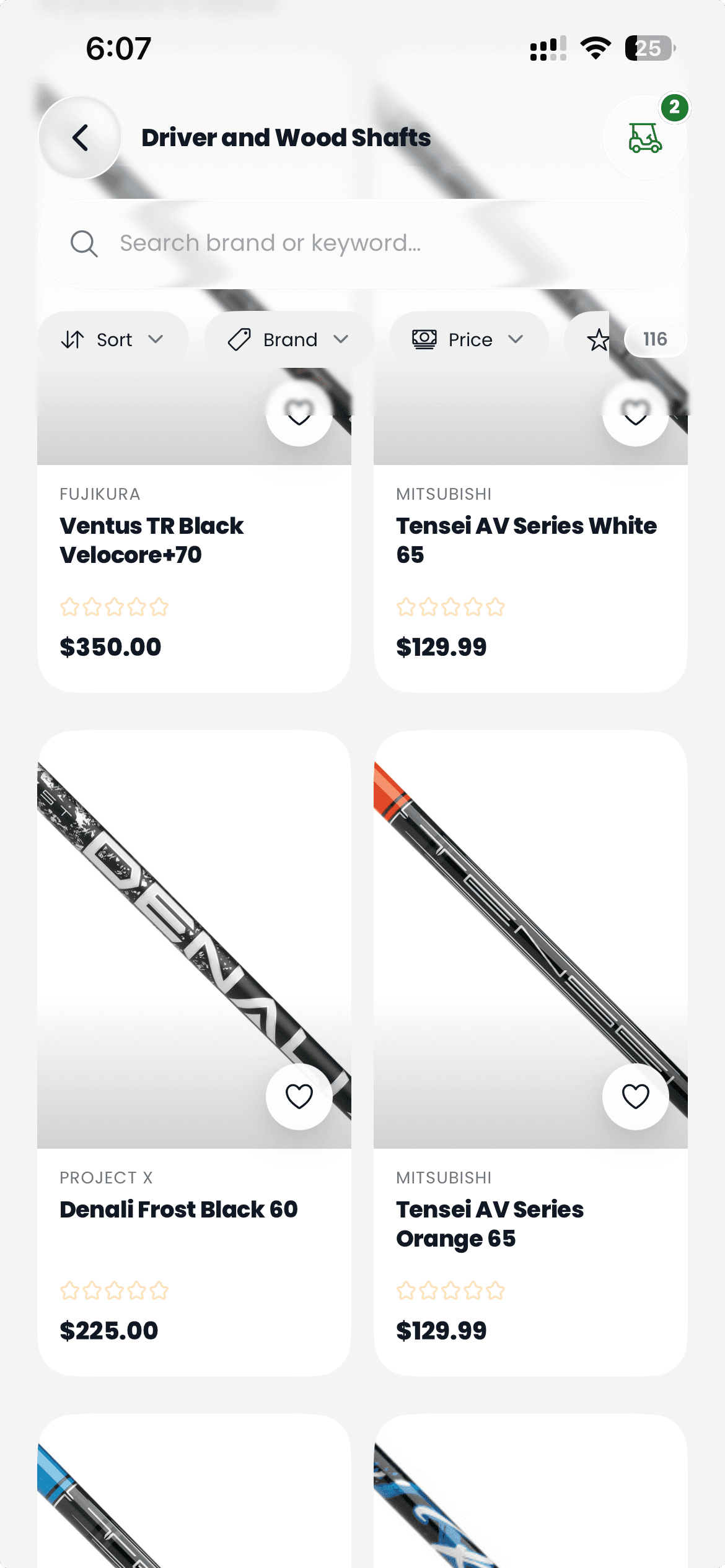
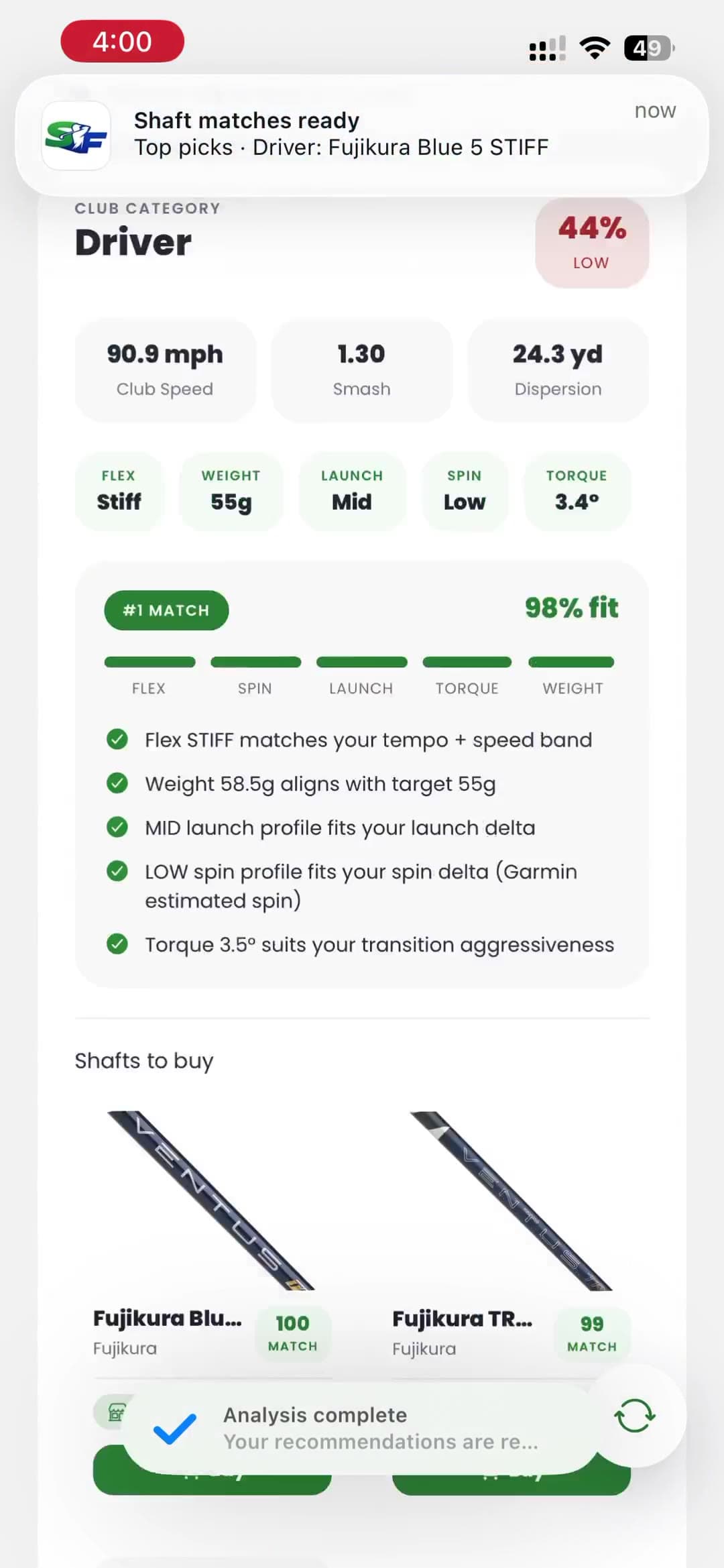
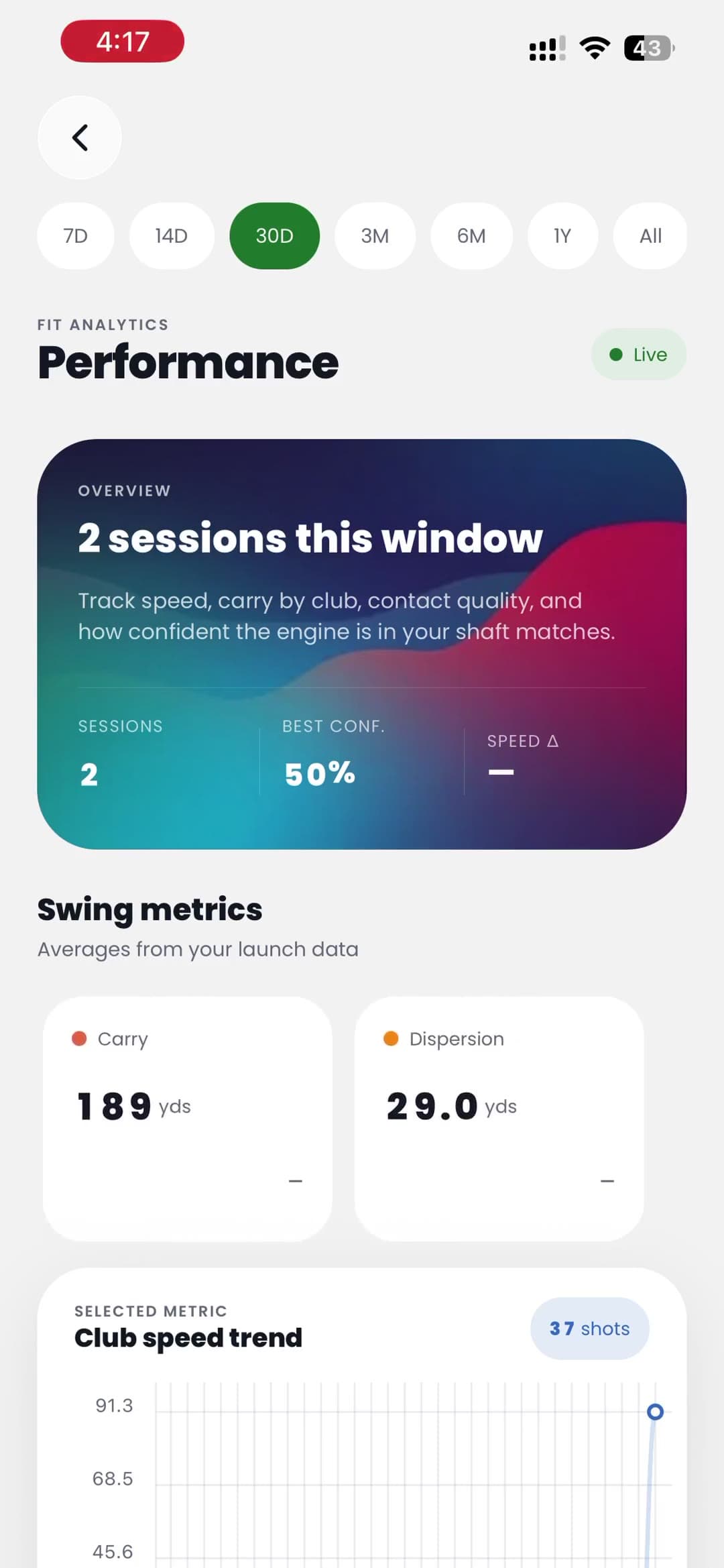
Method
Upload a supported CSV, or enter the measurements yourself. Club speed is enough to start. The iOS and Android apps also accept Excel.
Pick Distance, Dispersion, or Balanced. The result records that goal, then shows a candidate score and the fit factors for each shaft.
Compare the shafts, save the fitting, and share it with one person. Download a PDF when your plan or credit balance allows it, or browse the shop.
Sample fitting
A real result from the app: the ranked shafts, the factors beside each one, and a separate confidence rating.
Shots recorded
12
Swing goal
Balanced
Overall confidence
61%
Medium
Target weight
65 g
10 candidates
#1
X-Stiff
Candidate score1.00
#2
X-Stiff
Candidate score0.98
#3
X-Stiff
Candidate score0.95
The candidate score runs from 0 to 1 and rates that shaft against this session. Overall confidence is a separate percentage for the session itself. A score of 1.00 is not 100% confidence.
These rows are product output from 17 to 20 October 2026, with player details removed. They are a starting shortlist for testing, not a guarantee of distance, dispersion, or scoring, and not a customer review. Names are shown as the app returned them.
Engine
Every result is a ranked shortlist with a short reason for each shaft. Review the factors the app actually shows.
each goal sums to 1.00
Showing component weighting for Distance.
In the app
Import a file, type a session, read the trend, find a shaft, share the fitting, or buy the build. History length and shortlist depth follow the plan.
Upload a supported CSV. The iOS and Android apps also take Excel.
No file? Club speed is enough to start. Extra numbers tighten the shortlist.
Club speed, carry, smash, and dispersion. Pay as you go keeps a shorter history.
Find a catalog shaft from part of the name.
Browse equipment and check out in the app. Orders ship in the United States.
Send the fitting to one person. A PDF needs a paid plan or a credit balance.
Shop
A curated storefront sits beside the fitting tools, so match to ordered is a couple of taps.
Your file
Begin with a manual session, or upload an export the app already reads. A monitor is listed here only after its file format has been tested.
Shot export from the Garmin Golf app. A summary or report export will not import.
The OpenAPI shot log. Club codes such as DR and I7 are read as-is.
The session file that groups shots by club.
The session export with speed, carry, and club blocks.
The website accepts CSV. The iOS and Android apps also accept Excel. TrackMan and FlightScope exports are not supported.
ShaftFitters is not affiliated with Garmin, GSPro, Rapsodo, Square Golf, TrackMan, FlightScope, or any club manufacturer.
Plans
Start with the 3 credits on a new account. After that, pay per analysis or pick a plan that matches how often you fit.
Occasional analyses
$10buys 3 credits
One credit per analysis. No subscription. Credits do not expire.
Regular sessions, billed monthly
$15per month
Renews each month until you cancel. Access lasts through the paid period.
The same fitting access, billed yearly
$75per year
Renews each year until you cancel. Same features as Monthly.
One payment, no renewal
$300once
Same features as Annual. It does not renew and it does not expire.
Prices in USD. Signup credits are separate from a subscription or a top-up. One credit runs one analysis, including a re-analysis of the same file. Monthly, Annual, and Lifetime do not use credits.
Sharing a fitting is free. Opening one shared with you, or downloading the PDF, needs a paid plan or a credit balance. The download does not spend a credit.
Questions
Create an account in the app or on the web. A new account includes 3 fitting credits, and no card is required. One credit runs one analysis on pay as you go. Monthly, Annual, and Lifetime plans do not spend credits. Finishing your fitting profile later adds 3 more credits, once.
Enter the session by hand. Club speed is required. Launch, spin, and the other measurements are optional, and they tighten the shortlist when you have them.
CSV exports from Garmin Approach R10, GSPro, Rapsodo MLM2PRO, and Square Golf. The iOS and Android apps also accept Excel. TrackMan and FlightScope files are not supported. See the tested monitors
No. It builds a shortlist from your data so you can decide what is worth testing. Check the options on a launch monitor or with a club fitter before you buy.
Each shaft gets a candidate score from 0 to 1. That score blends flex, weight, launch, spin, and torque, using fixed weights for the goal you picked: Distance, Dispersion, or Balanced. Overall confidence is separate. It comes from how many shots you sent and how consistent smash factor was, and it is shown as a percentage with a High, Medium, or Low label. Medium starts at 55%. A Garmin session is marked down because its spin is estimated. A score of 1.00 is not 100% confidence, and this is not a trained model.
On pay as you go, $10 buys 3 more credits. Credits do not expire. You can also move to Monthly at $15 per month, Annual at $75 per year, or Lifetime at $300 once. Those plans include unlimited uploads.
Fittings are saved to the account. Sharing with one person is free and does not spend a credit. Opening a shared fitting, or downloading the PDF, needs a paid plan or a credit balance. The PDF download itself does not spend a credit.
Yes. The shop sells clubs and gear, checkout runs in the app, and orders ship in the United States from the supplier.
A rejected file usually means the export is a summary rather than raw shot data, or it is a monitor we do not read yet. Open support
Add a manual session or a supported file, review the first shortlist, and decide what is worth testing.